
Audio Chain
A small, free Audio Unit host for Mac. Use your plug-ins to apply EQ and compression to live microphone audio for podcasts, livestreams, and calls.
Download for macOSFree · macOS 27 · Apple silicon
Version 0.1.0 · 2.3 MB ZIP · Updated
Choose your audio input
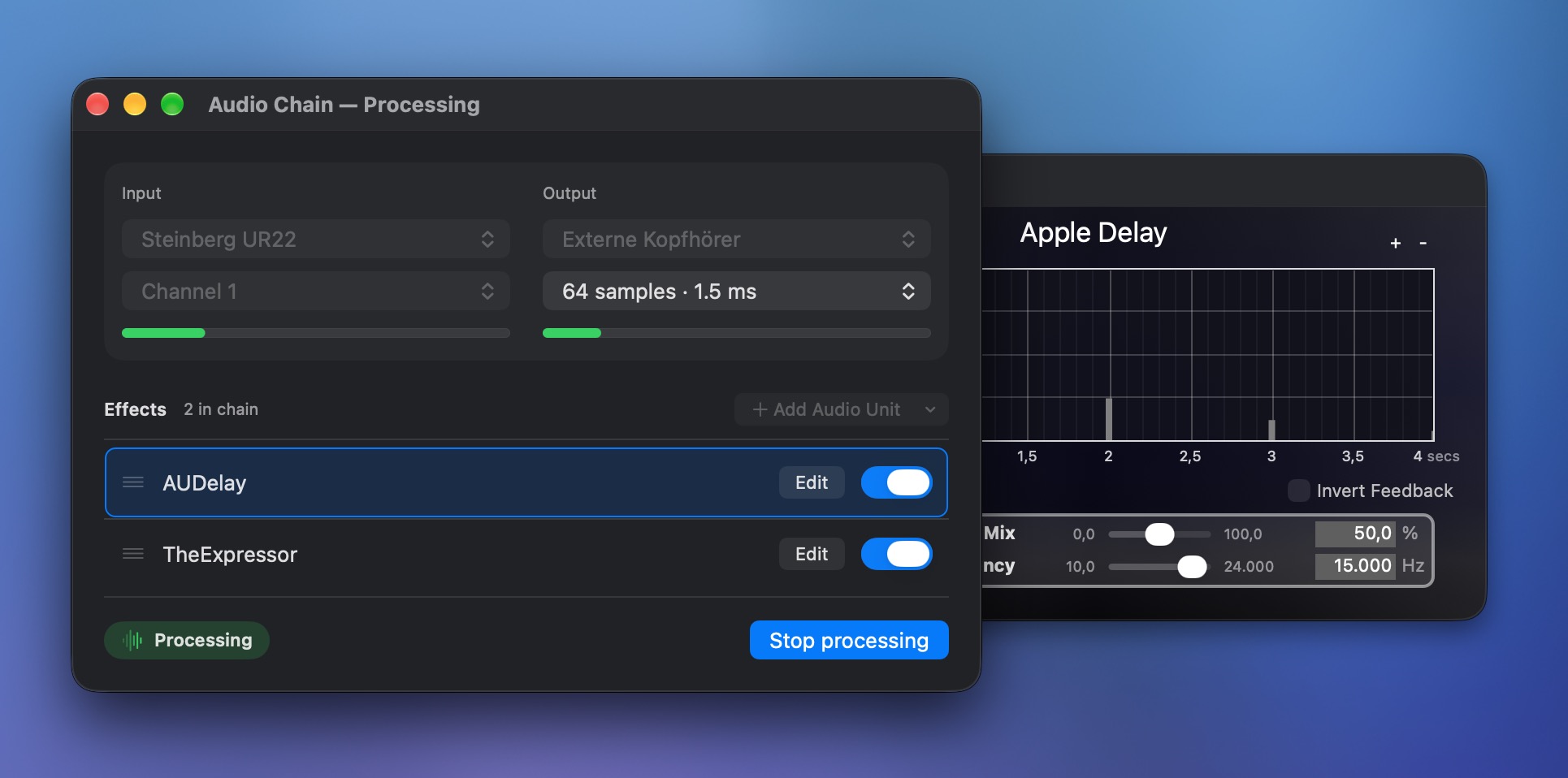
Choose your audio device and the input channel you want to process.
Apply live microphone effects
Add Audio Unit effects, reorder your chain, and adjust each effect.
Send your processed audio
Choose an output for your processed audio, then start listening.
Live microphone effects for podcasts and calls
I built it for a podcast episode where I wanted to send clean audio. It’s handy whenever you want to shape your sound before someone else hears it.
-
Send a cleaner podcast feed
Use EQ to cut low rumble and compression to even out your voice before it reaches the recording app.
-
Polish your livestream sound
Keep speech levels more consistent, soften harsh sounds, or add some character with your favorite effects.
-
Sound more balanced on calls
Apply your preferred voice processing before a meeting, interview, or online lesson.
-
Try Audio Unit effects without a DAW
Connect a mic or instrument and hear what an EQ, compressor, or reverb does as you play.
Effects come from your installed Audio Units. To send audio directly to another app, use a virtual audio device.
Find free Audio Unit plug-ins. Choose the AU format for macOS and check Apple silicon support.
How to add microphone EQ and compression on Mac
This four-step example uses a virtual audio device you install separately. It sends your processed microphone audio to a recording or calling app; recording happens in that app.
-
Choose your input
In Audio Chain, choose your microphone or audio interface under Input and select its Channel.
-
Build your effects chain
Choose Add Audio Unit to add an EQ or compressor from your available effects, then arrange your chain.
-
Send it to the virtual device
Set Output to your virtual audio device, then choose Start processing. Open an effect’s editor to fine-tune your sound.
-
Select it in your recording or calling app
Choose the same virtual audio device as the input in your recording or calling app.
For listening through headphones or speakers, select them directly as Audio Chain’s output instead.
A few things to know
Is Audio Chain free?
Yes. The macOS app is free to download and use.
Which Macs can run it?
This download requires macOS 27 or later and a Mac with Apple silicon.
What is an Audio Unit host?
An Audio Unit (AU) host runs compatible audio effect plug-ins installed on your Mac. Audio Chain lets you arrange them in a chain and apply them to a live input. Choose Add Audio Unit to see your available effects.
Can I use Audio Unit effects without a DAW?
Yes. Audio Chain runs as a standalone AU effects host, so you can use your installed plug-ins without opening a digital audio workstation (DAW).
Can I EQ or compress my microphone on a Mac?
Yes. Add a compatible Audio Unit equalizer or compressor to your chain. To send the result to another app, route Audio Chain’s output through a separately installed virtual audio device.
How do I install it?
Open the downloaded ZIP, move Audio Chain to Applications, and open it. Allow microphone access when asked so it can process your input.
Can it record a podcast?
Use your usual podcast app to record. Audio Chain applies live effects and sends the processed sound to your selected output.
Does it remember my chain?
Your routing, effect order, and saved effect settings are stored on your Mac for the next launch.
How many effects can I use?
Up to 3 effects in a chain, the number Audio Chain is tested with. If you need more, let me know.
Have a question or an idea?
If something isn’t working, include your macOS version and a short description of what happened. If you need more than 3 effects, tell me what you’d like to use them for. You can find my contact details on my imprint page.
Get in touchPrivacy policy
Audio Chain does not collect, store, or share any personal data. It has no accounts, analytics, advertising, or tracking.
The app uses your microphone only to process live audio. That audio stays on your Mac and is never recorded. Your chain and settings are saved on your Mac.
Audio Units you install are made by other developers and have their own privacy policies. This website uses Matomo to count visits.